Logo Sizes Guide: Optimal Dimensions for Web, Print & More
Learn what is a good size for a logo. Get practical logo size rules for web headers, favicons, social profiles, print, and file formats.
Importance of Logo Size
A good logo size keeps your brand clear on every screen and every page. If your logo is too small, it looks blurry. If it is too large, it can get cropped or dominate the layout.
Logo scalability is the key to avoiding that tradeoff. You want one logo system that stays readable at small sizes and still looks sharp at larger ones. This is why logo design should start with real use cases, not only a pretty mockup.
In practice, brand consistency depends on how often your logo appears. Your header, social profile, favicon, business card, and mug all need different treatments. One size rarely fits all.
- Small sizes must keep the key shapes recognizable.
- Large sizes must keep edges crisp and text legible.
- Layouts must not crop important marks.
Basic Principles of Logo Design
Before you measure pixels or inches, define what parts of the logo must survive resizing. For many brands, that means the wordmark or symbol must remain readable down to tiny spaces. If your logo relies on fine details, you will need a simplified version.
Most teams should plan for multiple versions during logo design. That way, you can match the layout without forcing scale tricks that damage clarity. Typical logo variations include a horizontal logo for wide spaces, a vertical logo for tall layouts, and an icon version for very small placements.
Also consider aspect ratio. If you stretch a logo to fill a box, you can distort proportions and harm brand consistency. Instead, build each version with its own safe proportions and spacing rules.
| Use case | Best starting variation | What to check |
|---|---|---|
| Website hero or header | Horizontal logo | Icon visibility and text size |
| Slim sidebar or app bar | Vertical logo | Top-to-bottom legibility |
| Small badges, avatars | Icon-only | Shape clarity at small scales |
Logo Sizes for Digital Platforms
Digital logo size decisions should match the exact layout where the logo appears. For most websites, that starts with the header logo. A common range for website header logo sizes is 250 x 150 px to 350 x 75 px, depending on whether the logo is taller, more icon-led, or text-led.
Next, plan your favicon. Standard favicon sizes like 16 x 16 px and 32 x 32 px cover most browser needs. If the logo has thin strokes, create an icon variation that can hold up at these tiny sizes without losing meaning.
Social media needs special care because each platform uses different cropping rules. Your social media logo sizes should be optimized for profile pictures and cover images. Use a clear, centered composition for profile pictures, and keep enough safe space so avatars do not cut off key parts.
- Header: often 250 x 150 px to 350 x 75 px as a starting range
- Favicon: 16 x 16 px and 32 x 32 px
- Social profile: use an icon or simplified mark that reads at thumbnail size
When you test, check the same logo at multiple breakpoints. A desktop header can look fine, but a mobile header may shrink it into unreadable details. This is the moment to swap from a wordmark-heavy version to an icon-focused one.
Logo Sizes for Print Media
Print logo dimensions should be selected based on physical placement, not screen pixels. In print, you care about inches, the viewing distance, and the manufacturing process. Your goal is to keep edges clean and text readable under real lighting and paper quality.
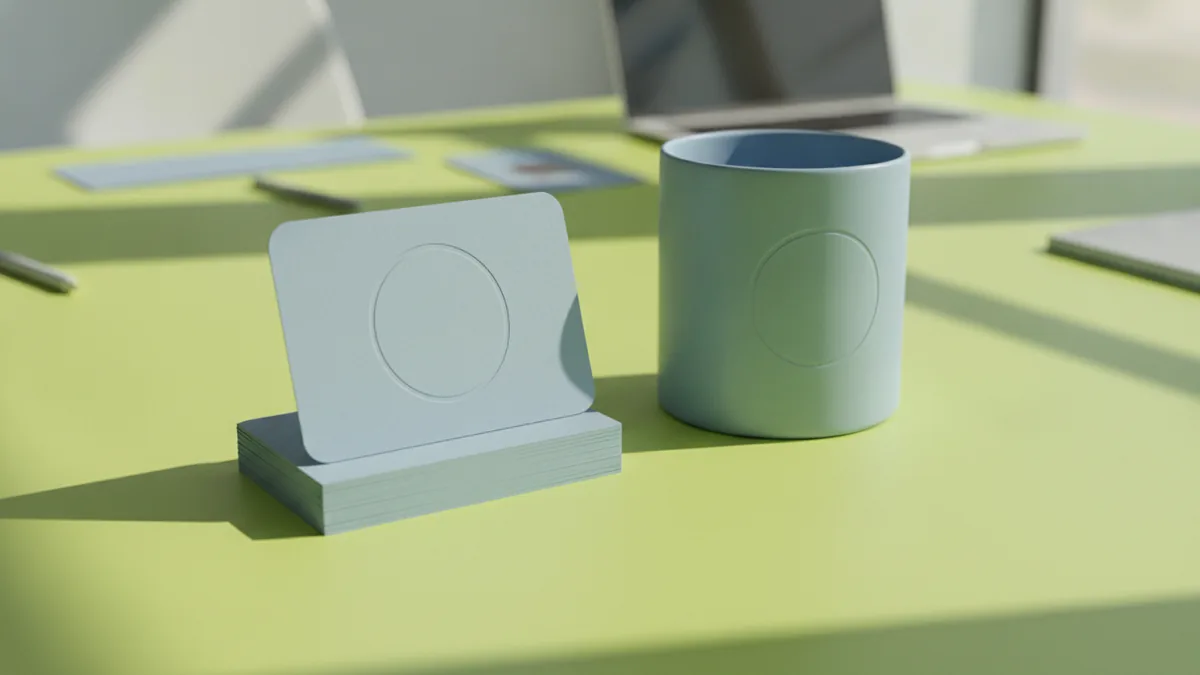
Common print logo dimensions include 3.5 x 2 inches for business cards and 8.5 x 3 inches for mugs. Those sizes give enough room for a typical horizontal logo and provide safe space around the mark. If your logo has a symbol plus long text, you may need a slightly taller vertical logo for cards.
Also plan for cases where the logo must appear small, like product labels. In those situations, use a simplified logo variation. This helps maintain contrast and avoids the “muddy” look that happens when fine details print at tiny scale.
- Choose a horizontal logo for larger print areas.
- Use a vertical logo for tall, narrow placements.
- Use an icon version for very small print marks.
For best results, ask your print partner for their minimum line weight guidance. Different printers and presses handle thin strokes differently. Your designer can then adjust the logo so it prints consistently.
Logo Adaptability and Variations
A strong logo system is adaptable. The question “what is a good size for a logo” depends on the medium, but the bigger answer is that you need the right versions. When you only keep one logo file, you are forced to stretch it or rely on poor raster scaling.
Build logo variations that match both space and background. Most brands need color and one-color versions. You may also want a reversed logo for dark backgrounds, and a monochrome version for printing or low-cost reproduction.
From a workflow perspective, treat logo variations like a kit. Your header uses the horizontal version. Your footer might use a smaller icon. Your favicon and app thumbnail use the icon version. This structure supports brand consistency because each use keeps the logo’s intended proportions.
| Variation | Where it fits | Primary benefit |
|---|---|---|
| Horizontal logo | Headers, banners, business cards | Best for wide layouts |
| Vertical logo | Sidebars, tall spaces, signage | Works when height is available |
| Icon-only mark | Favicons, app icons, profile avatars | Reads at small sizes |
| Color and one-color | Web, print, stamps | Maintains clarity across materials |
Finally, keep a simple set of rules for spacing and margins. Even a correctly sized logo can look wrong if it crowds nearby text or sits too close to edges. A little padding protects the brand in every layout.
Choosing the Right File Formats
Choosing logo file formats is what makes logo scalability real. Vector file formats like PDF and SVG support resizing without quality loss. This is the difference between a logo that stays crisp and one that turns fuzzy when you scale it for a new placement.
Vector file formats also help when you need to create multiple logo variations. You can export a horizontal logo, a vertical logo, and an icon from the same source artwork while keeping shapes clean. If your designer only gives you low-resolution images, every new use case becomes a quality risk.
For day-to-day web use, teams often export raster formats as well. PNG is common when you need transparency for icons and UI elements. However, use raster files as exports, not as your master artwork.
- PDF and SVG: best for resizing and editing
- PNG: useful for transparent web exports
- Deliver a set of logo file formats, not one file
If you are shopping for what is a good logo design software, look for tools that support vector export and clean typography. The best workflows let you keep the logo as editable shapes or paths. That way, your logo stays consistent while your brand grows into new platforms.
When you hand off assets to a developer, include naming that matches the variation. For example, store horizontal, vertical, and icon versions separately. It prevents “wrong file” mistakes and speeds up implementation.
Quick Answers to Common “Logo Size” Questions
If you just need a starting point, use typical header sizes and build from there. A website header logo size often starts around 250 x 150 px to 350 x 75 px. Then create an icon variation sized for favicons, starting with 16 x 16 px and 32 x 32 px.
For print, choose common logo dimensions based on the product. Business cards often use 3.5 x 2 inches. Mugs often use 8.5 x 3 inches. If your logo feels too small or too tight at those sizes, adjust the variation rather than stretching the file.
Most importantly, test your logo at the smallest and most unforgiving sizes. If it is readable in a favicon and looks clean in a header, you are ready to scale your brand across the web and print.
Frequently asked questions
- What is a good size for a logo on a website header?
- A common starting range is about 250 x 150 px to 350 x 75 px, then adjust for your layout and breakpoints.
- What is a good logo size for a favicon?
- Most projects support 16 x 16 px and 32 x 32 px. Create an icon version so it stays readable at those sizes.
- What are the best logo file formats for resizing?
- Use vector file formats like SVG and PDF for the master artwork. Export PNG when you need transparent raster assets.
- What are common print logo dimensions for business cards and mugs?
- Business cards are often around 3.5 x 2 inches. Mugs are commonly around 8.5 x 3 inches, depending on printing method and placement.
- Why do I need logo variations like horizontal and vertical logos?
- Different layouts have different space shapes. Variations let you keep brand consistency without stretching the artwork.
- How do I choose optimal logo dimensions for social media?
- Optimize separate assets for profile and cover placements. Use an icon-focused mark for profile thumbnails and keep safe space for cropping.
Related reading
How to Copyright a Logo (and When to Trademark It)
Steps to copyright a logo, costs, and how trademark changes protection.
How to Make a Spinning Logo: Tools, Tips, and Exports
Make a spinning logo with After Effects or online tools, then export MP4 or GIF.

Who Is the NBA Logo Based On? The Story Behind the Silhouette
Who is the NBA logo based on? Meet Jerry West and learn how the silhouette shaped NBA branding and culture.