How to Make Custom T-Shirts With Logos (Tools & Printing)
Learn how to make t shirts with logos. Pick design tools, plan your logo, choose fabric, compare printing methods, and order confidently.
Choosing the right design software for logo work
If you want to learn how to make t shirts with logos, start with the right design software. A good tool helps you create clean shapes, manage color, and export files that printers can use. It also keeps your logo scalable, so it looks sharp on small chest prints and larger back prints.
You have two main paths: a quick “drag and drop” workflow or a precision “vector-first” workflow. Canva is fast for layout and basic logo styles, especially if you want a first draft quickly. Adobe Illustrator is a top choice for vector logo design principles, because it supports clean edges and easy resizing.
For people learning how to make logos for a business, vector tools usually save time later. Printers often ask for file formats like AI, EPS, or PDF to avoid blurry results. If you are unsure, pick software that exports vector PDFs.
- Canva: quick drafts, easy layout, good for simple logo concepts
- Adobe Illustrator: best for vector logos and precise revisions
- Inkscape: free vector editor for similar workflows to Illustrator
- Photo editing tools: useful for refining photos, not ideal for core logo vectors
Before you commit, check what your planned print shop requests. Many shops list accepted file types and common sizing they prefer. That one step prevents last-minute rebuilds.

Conceptualizing your logo before you digitize
Most “how do people make logos” questions miss the same thing: the design phase starts on paper, not in a program. Before you learn how to design logos for shirts, brainstorm the message your logo should carry. Think about who will wear it and what the logo should feel like.
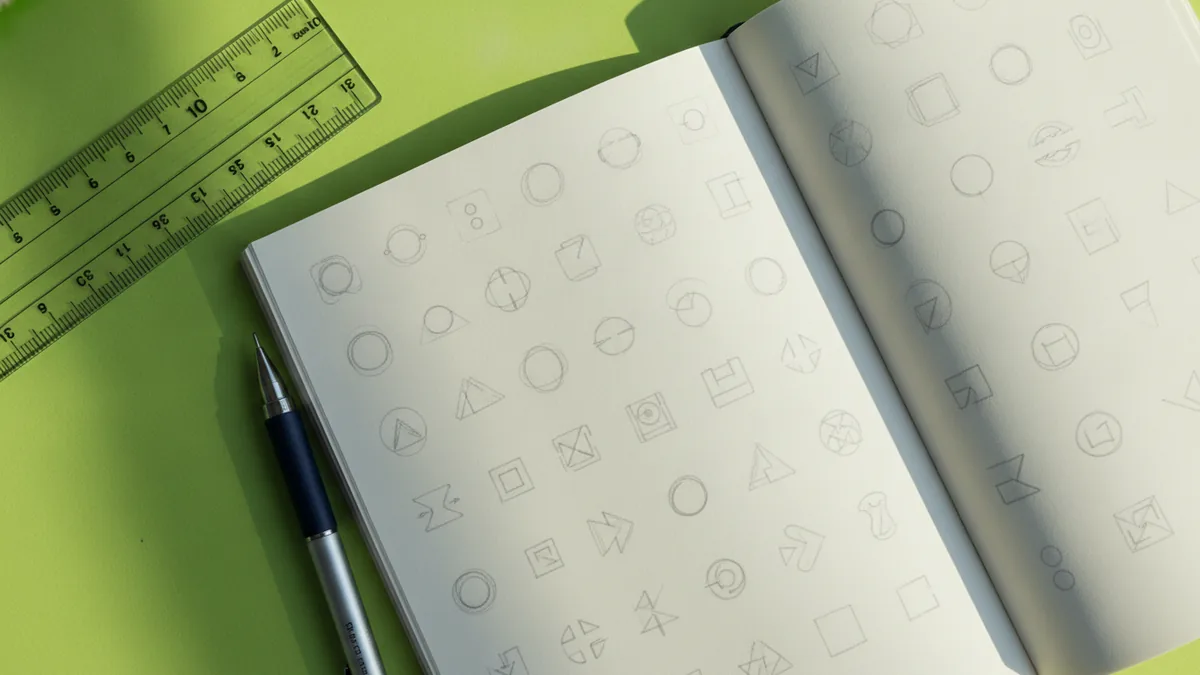
Then sketch at least 10 small ideas. Use thumbnails and fast lines, so you can explore different silhouettes and layouts. This step matters because t-shirt prints look different at fabric scale than on a computer screen.
Next, decide your logo structure. A simple badge, a modern wordmark, and a centered icon all print well. Complex illustrations can work, but only if they have bold shapes and limited fine details.
- Write a one-sentence purpose: “This logo should feel sporty and bold.”
- Pick a style direction: minimal, vintage badge, athletic, or streetwear.
- Sketch silhouettes: focus on recognizable outlines first.
- Choose 1–3 colors: more colors usually raise print cost and risk.
- Define placement: front chest, full front, sleeve, or back.
If you are building branding through logos for a club or shop, keep the logo consistent across placements. For example, a back print can use more space, while the front needs a simplified version. You can plan both versions in one design session.
As a practical example, imagine you are designing for a coffee brand. A clean coffee cup icon and a short brand name might work as a one-color chest print. The back could add a curved slogan, as long as the type stays legible from a few steps away.
Design tips for t-shirt logos that look sharp in fabric
T-shirt logos live under real-world constraints: fabric texture, ink limits, and viewing distance. Your logo should have strong contrast and clear shapes. That is the core of how to create logos for shirts that people can recognize fast.
Start by working in vectors or at least designing with scalable shapes. Use bold strokes and avoid thin lines that may disappear after printing. If your design has small gaps, test a simplified version that keeps the silhouette while removing hairline details.
Color choice also affects results. Bright colors can look great, but some printing methods struggle with very light colors on dark fabric. For best outcomes, build a logo with a clear foreground and either a transparent or solid background option.
- Use 1–3 fonts max: mixing fonts too early makes cleanup painful.
- Check minimum sizes: if a detail looks tiny on-screen, it will likely vanish.
- Design for placement: keep the front readable at a smaller print size.
- Keep edges clean: avoid grainy textures unless the printer confirms they can hold them.
Finally, think about “what looks good on shirts” versus “what looks good online.” Online previews are crisp because they are rendered digitally. Fabric printing adds slight variation, so bolder designs win more often.
If you are trying to learn how to make logos and sell them, this is where you differentiate. Offer two files: a simplified “wearable” logo and a more detailed “premium” version for larger placements. Customers love options, and printers love clarity.
As for learn how to create logos in general, the discipline is the same: shape first, detail second. You refine after you confirm that the overall form reads well.
Printing techniques explained: screen print, digital print, and embroidery
Once your logo is ready, the next big question is t-shirt printing techniques. Different methods handle colors, edges, and fabric texture in different ways. Picking the right one helps you avoid surprises like dull colors or broken fine details.
Screen printing uses separate screens for each color. It can look bold and professional, especially for limited color palettes. It usually works best for larger orders because setup costs are higher.
Digital printing transfers the design without screens. It is often great for small runs, complex art, and full-color logos. However, the look can vary by printer and ink system, especially on dark fabrics.
Embroidery stitches your design into the fabric. It is durable and premium-looking, but it needs a simpler layout. Thin lines, gradients, and tiny text often do not translate well into stitch maps.
| Method | Best for | Watch-outs |
|---|---|---|
| Screen printing | Bold logos, few colors, consistent color blocks | More colors can increase cost, fine details may fill in |
| Digital printing | Full-color logos, small runs, detailed artwork | Colors can look different across fabric types |
| Embroidery | Team logos, caps-style looks, long-lasting marks | Small text and thin lines can become unreadable |
If you are asking how do streamers make their logos, many end up using digital printing for fast drops. If you plan to do merchandise in volume, screen printing often becomes the cost-effective choice. Your best path depends on how many shirts you want and how many colors your logo uses.
When you talk to a print shop, ask how they handle edge cleanup. Then ask what file format they want and whether they can create a mockup for your exact placement. That reduces wasted revisions.
Choosing the right fabric for printing logos
Fabric selection for printing is not an afterthought. It changes how ink sits on the shirt and how the logo feels in real life. Cotton is a common default because it prints well and wears comfortably. Blends, like cotton-poly, can help with durability and color stability.
On dark shirts, your logo’s color and background matter more. A high-contrast design with a solid underbase often prints cleaner. If your logo relies on very light colors, confirm that the print method supports them on the shirt color you want.
Also consider the shirt weight. Heavier fabric can hold sharper contrast for some methods, while lighter fabrics can show more ink feel. If you plan to sell custom apparel, the fabric feel can be as important as the logo clarity.
- Cotton: classic comfort, good print feel
- Cotton-poly blends: smoother surface, often crisp results
- Performance fabrics: good for sports, but check ink compatibility
When you request samples, order one shirt in your exact fabric and color. Then test the logo placement that matters most, like chest size or back size. This is the fastest way to confirm you are happy with the final look.
Finalizing and ordering your custom t-shirts
When you are ready to place an order for custom t-shirts, you need a few business-level decisions. Quantity and budget shape which printing method you can afford. A small batch might push you toward digital printing, while larger runs can make screen printing economical.
Start with print area and placement. Chest logos often work best when they are centered and sized for readability. Back prints need more visual space and should keep important elements large enough to see.
Then confirm your pricing assumptions. Ask whether pricing changes with color count, shirt size range, or special fabric. Some shops charge extra for embroidery or special underbases on dark fabric.
- Pick your order size: small test batch or launch quantity
- Choose shirt colors: match your logo contrast strategy
- Confirm file type and sizing: export the required format
- Review placement mockups: check front and back alignment
- Approve proofs: do not skip this step
If you are learning how to make logos in blender, that can help for 3D logo mockups and branding visuals. Still, keep your print master file vector-based when possible. The print shop can adapt it more safely than a 3D render file.
For people learning how to make t shirts with logos to sell, track outcomes by design and method. Note which logos look best and which customers reorder. Over time, you will build a repeatable system for how to make and sell logos without guesswork.
If you want to move faster, bundle everything into one brief for your print shop. Include your logo concept, preferred placement, number of colors, and desired shirt fabric. Then ask what they recommend based on the print method and run size.
Frequently asked questions
- What software is best for learning how to design logos for shirts?
- Vector tools like Illustrator or Inkscape are best for shirt logos. They help you keep clean edges and export print-ready files.
- How do you create logos for shirts that won’t lose detail?
- Use bold shapes and avoid thin lines. Create a simplified version for small chest prints and confirm minimum sizes.
- Is screen printing or digital printing better for custom t-shirts?
- Screen printing is great for bold, few-color designs in larger runs. Digital printing is better for small runs and full-color logos.
- How do people create logos for a business brand on shirts?
- Start with a clear brand purpose, then design one icon or wordmark. Build variations for front, back, and smaller placements.
- What fabric should I use for printing logos?
- Cotton and cotton blends are common choices because they print consistently. Dark colors need extra contrast planning, regardless of method.
- What should I consider before I place an order for custom t-shirts?
- Think about quantity, shirt colors, and print placement. Confirm file formats, ask for a proof, and review pricing for color count and sizes.
Related reading

Can You Use a Company Logo Without Permission? Legal Implications
Fair use is narrow. Learn logo risks, legal limits, and safer alternatives.
How to Get a Nike Logo for Cricut (SVG + Illustrator)
Get Nike logo SVGs for Cricut or make one in Illustrator, then cut clean with smart settings.

Logo vs Symbol: Definitions, Similarities, and Design Differences
Logo vs symbol: definitions, similarities, and real branding examples.