How to Graphic Design a Logo (Free Methods + Pro Workflow)

Start with the right goal (and the logo type that fits)
Before you design anything, get specific about what your logo needs to do. A logo for a personal brand, a local service, and a SaaS product all communicate differently, and that affects shape, typography, and even the level of detail you can afford.
Decide which logo format you’re aiming for: a wordmark (text-focused), a lettermark (initials), an icon/symbol, or a combination mark. Combination marks are often the safest early choice because you can use the icon alone for small spaces and the full logo for clarity.
Write a short “use case” list: where will the logo appear (website header, social avatar, invoices, app icon, signage)? Then pick a constraint: for example, you may need strong recognition at 24–32 pixels on mobile - this alone determines whether you can use thin lines, complex gradients, or overly intricate icons.
- Pick a logo type: wordmark, lettermark, icon, or combination mark
- Define primary use cases and size constraints
- Set success criteria: readable at small sizes and distinct at a glance
How to graphic design a logo: research, audience, and differentiation
Good logo design starts with pattern recognition: you want to understand your category’s “visual language” so your logo can either blend in appropriately or deliberately stand out. Look at competitor logos, but also scan adjacent categories - sometimes the best cues come from brands that serve similar users with different products.
Create a simple inspiration board (even if it’s just in a folder). For each reference logo, note what makes it recognizable: bold geometry, friendly rounded typography, strict grid-based layouts, high contrast, or consistent spacing. Then translate those observations into rules you can apply to your own design.
Finally, write a one-sentence brand positioning statement in plain language. For example: “We help teams ship faster using clear process and clean design.” This sentence won’t become a tagline in the logo, but it will guide which visual metaphors and design qualities you choose.
| What to analyze | Design questions to ask |
|---|---|
| Typography | Is it condensed, serif, geometric, or handwritten? How does it feel? |
| Color strategy | Is the palette muted or high-contrast? Are there brand colors or gradients? |
| Shape language | Are shapes angular, rounded, symmetrical, or dynamic? |
| Spacing & weight | Does the logo stay readable when small? |
Concepts first: sketch, refine, and create 3–6 strong directions
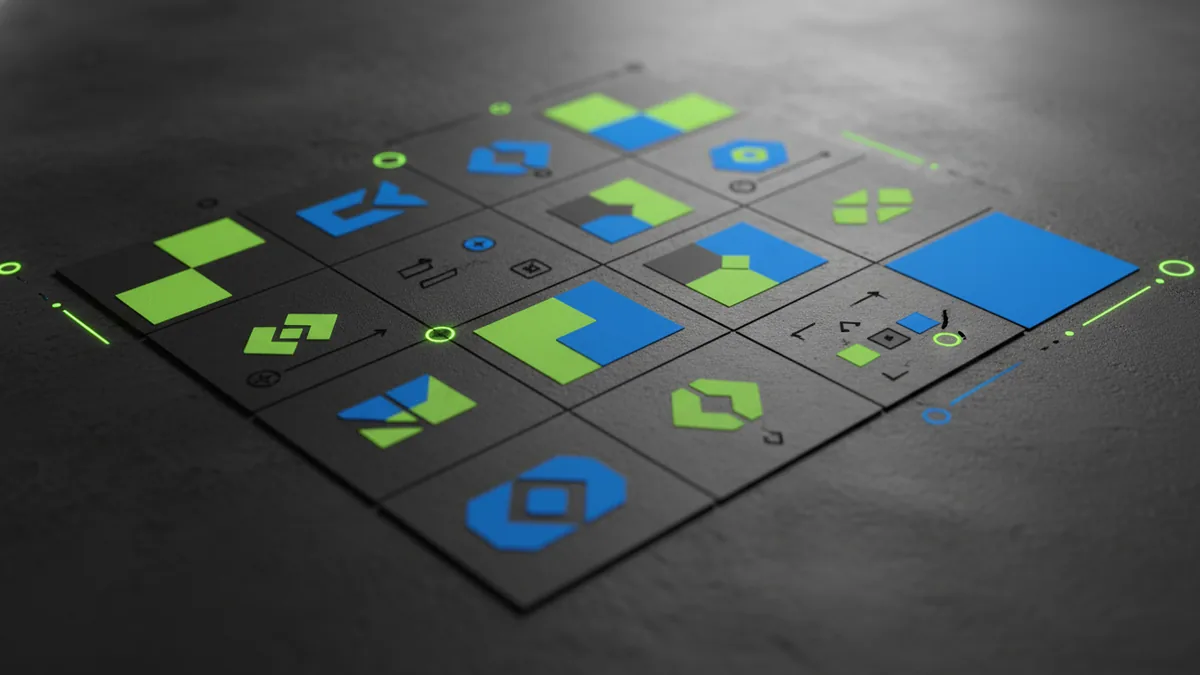
When people ask “how to make a graphic design logo,” they often start with polishing tools too early. Instead, start with rough exploration: quick thumbnails that explore different metaphors and compositions. Aim for 10–20 small sketches, then select 3–6 directions that feel promising.
As you sketch, avoid getting trapped in details. Focus on silhouette, proportions, and whether the concept works as a simple icon. A logo that looks great in a detailed mockup can still fail if the mark collapses into an unreadable blob when scaled down.
For each direction, pick a consistent structure: grid alignment, baseline choices for typography, or a clear relationship between icon and text. Then refine by increasing constraints: for example, choose one font family style (or one tone of type), limit the color palette to 1–2 brand colors, and keep line thickness consistent.
- Sketch multiple concepts based on silhouette and metaphor
- Select 3–6 directions that read well at thumbnail size
- Refine one rule at a time: spacing, stroke weight, and typography alignment
Typography and color: make the logo legible and memorable
Typography is often the fastest path to a professional result. If you choose a wordmark or lettermark, pick a font style that matches the brand tone: strong and stable, friendly and approachable, or modern and minimal. Even if you’re using free resources, keep typography consistent - mixing too many styles usually weakens recognition.
For icons and symbols, color reinforces meaning and hierarchy. Start with a primary color plus a neutral (black/white or a dark/soft gray). If you use additional colors, make sure they support the design rather than competing with it - think of color as “signal,” not decoration.
Test contrast and reproduction early. Your logo should still work in grayscale, and it should look clean on light and dark backgrounds. If it doesn’t, simplify: reduce the number of hues, increase spacing, or remove tiny details that disappear when printed or viewed small.
- Choose a typographic tone that fits your brand
- Limit colors so recognition survives across contexts
- Validate grayscale and small-size readability
How to make a graphic logo (without the “messy” middle): build a clean vector
If you’re learning how to make your own graphic design logo, your biggest win comes from building it like a system, not like an illustration. Create vector shapes with consistent geometry: align key elements to a grid, keep corners and curves consistent, and avoid random spacing that looks “almost right.”
Use a repeatable process: define margins around the logo, establish a minimum clear space, and create lockups (icon-only, horizontal, and stacked if needed). This ensures your logo stays usable for web headers, social avatars, and print layouts.
Before you export final files, check for common failure points: uneven stroke weights, inconsistent corner radii, and typography that doesn’t match letter spacing. If you’re using a free workflow, focus on clarity and proportion; you can always add flair later once the core identity works.
| Deliverable | Why it matters | Common mistake |
|---|---|---|
| SVG (vector) | Scales cleanly for web and icons | Exporting only a low-quality raster image |
| PNG (transparent) | Quick use for quick mockups | Using a background that won’t match real pages |
| PDF/EPS (print-ready) | Print shops need stable vector files | Leaving fonts unembedded or missing outlines |
| Color variants | Works on different backgrounds | No one-color or grayscale version |
How to graphic design a logo for free: practical tool options and limits
It’s possible to learn how to graphic design your own logo for free, especially if your goal is a strong starting mark rather than a fully production-ready identity package. Free tools can handle vector basics, sketching, and export needs - but you must understand their constraints.
Look for tools that support vector creation, layers, and SVG export. If a tool only provides raster editing, you’ll likely end up with a logo that looks good at one size and degrades elsewhere. Your best free path is usually: create vector shapes, convert typography responsibly, and export SVG plus transparent PNG.
Also plan for time. A free workflow often costs time in troubleshooting file formats, fonts, and exports. If you’re comfortable iterating, you can absolutely make a clean logo; just don’t skip tests like grayscale, small-size visibility, and spacing checks.
- Prefer vector-capable tools so your logo scales properly
- Export at least SVG and transparent PNG
- Test on light/dark backgrounds and at avatar size
Polish and validate: get feedback, run consistency checks, and finalize
Before you declare “done,” validate your logo the way it will be judged in real life. Ask others to identify the logo quickly: can they tell what it is without reading carefully? Can they describe what it communicates (even in one or two words)? Use these impressions to decide whether your concept needs simplification or a stronger silhouette.
Run internal consistency checks too. Do the icon and type feel related, or do they look like two separate elements glued together? Are weights consistent, do letters sit naturally on the baseline, and does the spacing feel intentional rather than approximate?
Finally, package your logo. Create a small logo kit with the primary lockup, one-color variant, reversed (white-on-dark or dark-on-light), and the icon-only version. That makes your logo immediately usable, and it prevents the common frustration of “we have a logo, but can’t actually use it everywhere.”
- Test readability: small size, grayscale, and contrast
- Request feedback focused on recognition and clarity
- Finalize a usable set of lockups and file formats
FAQ: how to make a graphic design logo step by step (quick answers)
People searching “how to make a graphic design logo” usually want clarity and momentum. The most reliable approach is: research and constraints → sketch directions → refine typography and color → build a clean vector → export usable variants.
If you want, you can start even with “rough” concepts. The key is to keep testing your logo’s silhouette and legibility early, so your final design doesn’t rely on details that won’t survive real-world sizing.
| Question | Answer |
|---|---|
| Should I start with an icon or the name? | It depends on the logo type. Icons can anchor the brand, but wordmarks often win on clarity - try both directions. |
| Can I design a logo without paying? | Yes, if you use vector-capable free tools and export correct file types (especially SVG and transparent PNG). |
| How do I know if my logo is “finished”? | When it works at small size, in grayscale, and across different backgrounds with a consistent clear space. |
Frequently asked questions
How to graphic design a logo from scratch?
Start with research and clear constraints, sketch multiple directions, then refine typography, color, and spacing. Build the final mark as a clean vector and export usable variants like SVG and transparent PNG.
How to make a graphic design logo for free?
Use a free vector-capable tool, create the logo as shapes, and export SVG plus transparent PNG. Test grayscale and small-size readability so your free workflow still produces a logo that works everywhere.
How to make your own graphic design logo without it looking amateur?
Keep it simple: strong silhouette, consistent stroke weight, and controlled spacing. Validate the logo at small sizes and in one-color versions before you call it finished.
How to make a graphic logo that looks good on a website header and social avatar?
Design for the smallest context first—24–48 pixels for avatars—then build up the details. Prepare lockups (icon-only, horizontal, and reversed) so each placement stays clear.
What file formats should I export when I design my own logo?
Export at least an SVG for scalable vector use and a transparent PNG for quick mockups. For print work, also provide PDF or EPS, plus one-color and reversed variants.