How to Make a Custom Logo: Free, DIY, and YouTube-Ready

What “custom logo” means and what to plan first
A custom logo is a unique mark built for one brand. It can be a symbol, a wordmark, or a mix. The key is that it looks right on screens and prints.
Before you open any design tool, pick what the logo must do. Decide where it will live most often. That could be a website header, packaging, or a YouTube channel icon.
You also need brand basics. Write a short brand goal and list 3 traits you want to show. Then pick a color direction and a simple style goal like bold, clean, or playful.
- Use case: website, product, social avatar, or merch
- Logo type: icon, wordmark, or icon+wordmark
- Style: modern, classic, tech, sports, or handmade
- Colors: 1 main color plus 1 support color
If you want a smoother process, start with one strong idea. Then refine it into a system. Most people skip this planning and redo everything later.
How to design a custom logo (a simple workflow you can repeat)
Designing a custom logo works best as a loop. You sketch, test, then improve. The loop saves time because you catch mistakes early.
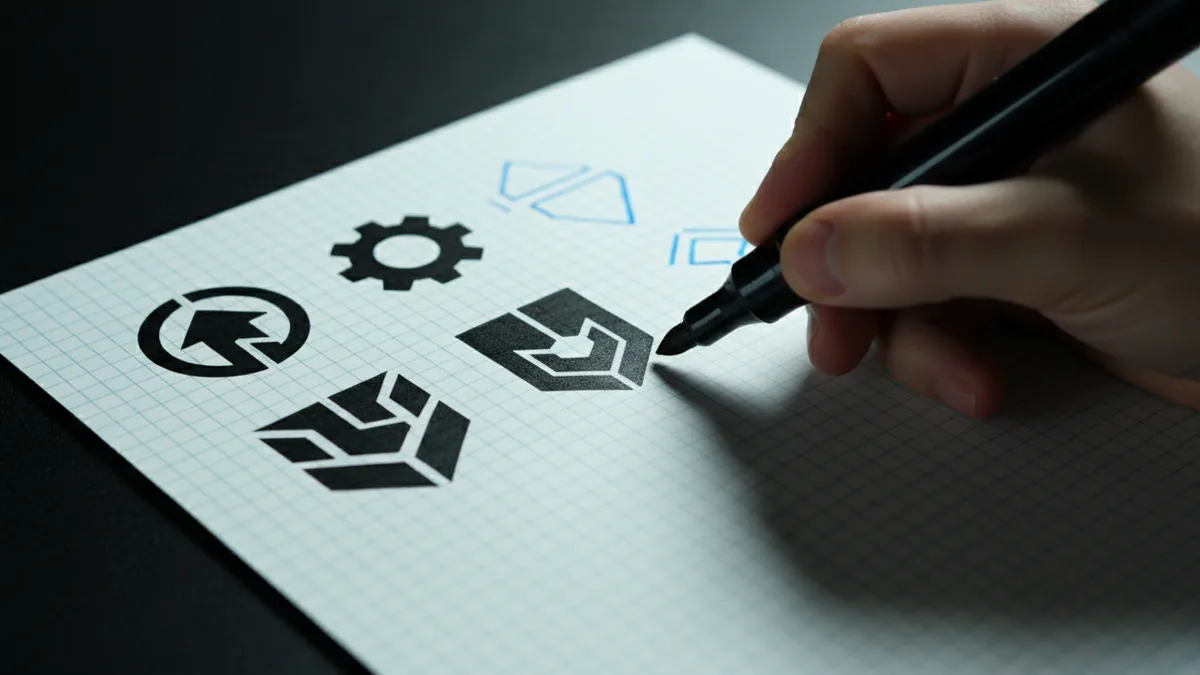
Begin with quick thumbnail sketches. Make 20 small options, not one polished draft. Look for shapes that feel distinct even at small sizes.
Next, turn your best sketch into a clean vector-style layout. Keep lines thick enough for a tiny icon. Add type only after the symbol works on its own.
Finally, test the logo in real contexts. Try it on a dark and light background. Then check it as a square avatar and a horizontal header.
- Sketch 20 thumbnail concepts on paper or a blank canvas
- Pick 2 favorites and simplify them into clear silhouettes
- Choose a limited color palette and confirm contrast
- Export versions for web and print needs
This workflow also helps if you are asking how to make custom logo design for a client. A repeatable method builds confidence and keeps revisions under control.
How to make your own custom logo for free (tools and limits)
If you are searching for how to make a custom logo for free, start with tools that export clean files. Many “free” editors still create pixel-heavy results. That can blur your logo when it gets small.
Look for free workflows that let you use shapes and text. For example, a vector-capable editor is ideal. If your tool exports only PNG, you will need more care when scaling.
Choose one route and commit to it for one logo pass. Either use a free vector editor or create a sharp logo with a raster tool and export high resolution. Vector is usually easier for clean edges.
| Goal | Best approach | Common mistake |
|---|---|---|
| Simple icon | Vector shapes and a grid | Too many tiny details |
| Wordmark | Pick clean fonts and spacing | Cramped letter spacing |
| Brand system | Logo plus color rules | No background testing |
Also, be honest about licensing. If you use a font, check its license for commercial use. This matters when you decide how to get a custom logo made for a business.
- Export PNG for social avatars
- Export SVG or PDF for sharp scaling
- Use at least one monochrome test
How to make a custom business logo (so it fits real branding)
When you are learning how to make a custom business logo, focus on trust and clarity. Business logos often need to look good on invoices, letterheads, and product labels. That means readability comes first.
Start with a concept tied to what you do. A service brand may use a simple badge or a clean wordmark. A product brand may use a symbol that connects to the category.
Then choose a type style that matches your tone. Clean sans fonts often fit tech and professional services. Strong serif fonts can feel classic and premium.
Finally, build a small brand kit. Keep one primary color and one accent color. Add a rule for spacing and placement so the logo looks consistent.
- Create an icon version that works at 64px
- Create a horizontal version for headers and banners
- Create a stacked version for tight spaces
- Save monochrome variants for stamps and printing
If you need a faster path, you can still do the design yourself and have a dev team handle the build. A custom logo is only one piece of a good brand experience.
How to make a custom YouTube logo (avatar-first design)
Learning how to make a custom logo for YouTube means designing for a tiny circle. Your icon must stay clear at small sizes. The center shape matters more than the outer details.
Use bold shapes and a limited palette. Avoid thin lines and complex gradients. A simple, high-contrast design reads best in a sidebar and in search results.
Test your design as a circle crop. If parts disappear in the crop, simplify the shape. You can keep details in a full logo version later.
- Design the icon first, then add text
- Use high contrast for legibility
- Check the icon in a circle crop
If you want how to make a custom gaming logo for a channel, push your style toward bold and recognizable. A quick silhouette helps viewers spot you fast.
How to make custom emblems and gaming logos (for patches and merch)
Custom emblems are built like badges. They usually include a border, a centered symbol, and optional text. For gaming emblems, players expect a strong shape and a clear theme.
Start with a badge outline that matches your style. Then place one main symbol in the center. Keep the emblem balanced so it looks good on a hat patch and a website header.
For merch, thick strokes and limited colors win. Tiny inner lines can vanish in printing. Also, make sure the logo works without the outer border.
| Emblem need | Design tip |
|---|---|
| Patch readability | Use thick outlines and simple shapes |
| Color limits | Pick 2 to 4 colors max |
| Consistency | Export a flat and a dark variant |
When you learn how to make custom emblems, treat it like a system. Build your logo for both screens and materials.
How to make a custom logo in Photoshop (practical steps)
If you want how to make a custom logo in Photoshop, plan for clean edges and smart export. Photoshop is great for fast mockups and refined raster work. For best results, build shapes at high resolution.
Start by creating a square artboard. Then sketch your icon using shape tools or simple vector layers if available. Keep strokes bold and align key elements to a grid.
Once the icon looks right, build the wordmark with careful spacing. Use fewer effects than you think you need. Then create color variants for light and dark backgrounds.
- Create a new square canvas with extra margin
- Block in the icon with simple shapes
- Add typography and fix spacing by eye
- Export PNGs for small sizes and a large master file
Even if you use Photoshop, keep your final files sharp. A logo that blurs defeats the purpose of custom design.
DIY vs getting a custom logo made (how to choose)
You can make your own custom logo and still get professional output. The main risk is time and design skill. If you need a logo fast, outsourcing can reduce stress.
Getting a custom logo made can also improve brand fit. A designer may deliver a full set of usable versions. You get icon, wordmark, and color rules in one package.
Decide based on your timeline and your tolerance for revisions. If you can iterate for a week or two, DIY can work well. If you need it for a launch next week, pay for speed.
- DIY fits: hobby brands, personal channels, early-stage projects
- Hiring fits: business launches, rebrands, high-stakes marketing
- Hybrid fits: you design, a pro polishes and prepares exports
Either path can work. The best result is the one that looks good everywhere it must.
Next steps: package your logo so it stays consistent
After you design a custom logo, prepare files for every use. Save a master version and export multiple sizes. Include a transparent version for overlays and a monochrome version for printing.
Also create a simple usage guide. Note where you can place the logo and how much space it needs around it. This prevents “logo drift” across team members.
If you plan web work, the logo should be ready for UI use. A high-quality logo improves headers, buttons, and profile screens. It also helps your site look built, not patched.
- Export a transparent PNG and a dark-on-light version
- Export a monochrome version for stamps
- Save an SVG or PDF master when possible
Now you know how to get a custom logo or make your own. The key is clarity, testing, and clean exports.
Frequently asked questions
How do I make a custom logo from scratch?
Sketch multiple concepts, pick the clearest silhouette, then build a clean icon and wordmark. Test on dark and light backgrounds and export versions for web and printing.
How can I make a custom logo for free?
Use free tools that support clean shapes and high-quality exports. Check font and asset licenses if you plan to use the logo commercially.
How do I make a custom business logo that looks professional?
Prioritize readability, choose a type style that matches your brand tone, and build consistent spacing rules. Export multiple layouts for headers, cards, and tight spaces.
How do I make a custom YouTube logo that works as an avatar?
Design the icon first for a circle crop. Use bold shapes, high contrast, and limited details so it stays clear at small size.
How do I make custom emblems or a gaming logo?
Use badge-style composition with a strong border and a single central symbol. Keep strokes thick and colors limited so it prints well on merch.
Can I make a custom logo in Photoshop?
Yes. Build the icon with shape layers at high resolution, refine the wordmark spacing, then export sharp PNGs and a master file for future edits.