What Is a Social Media Kit for a Logo?
Learn what a social media kit for a logo includes, why it matters, and how to package your brand assets for every platform.
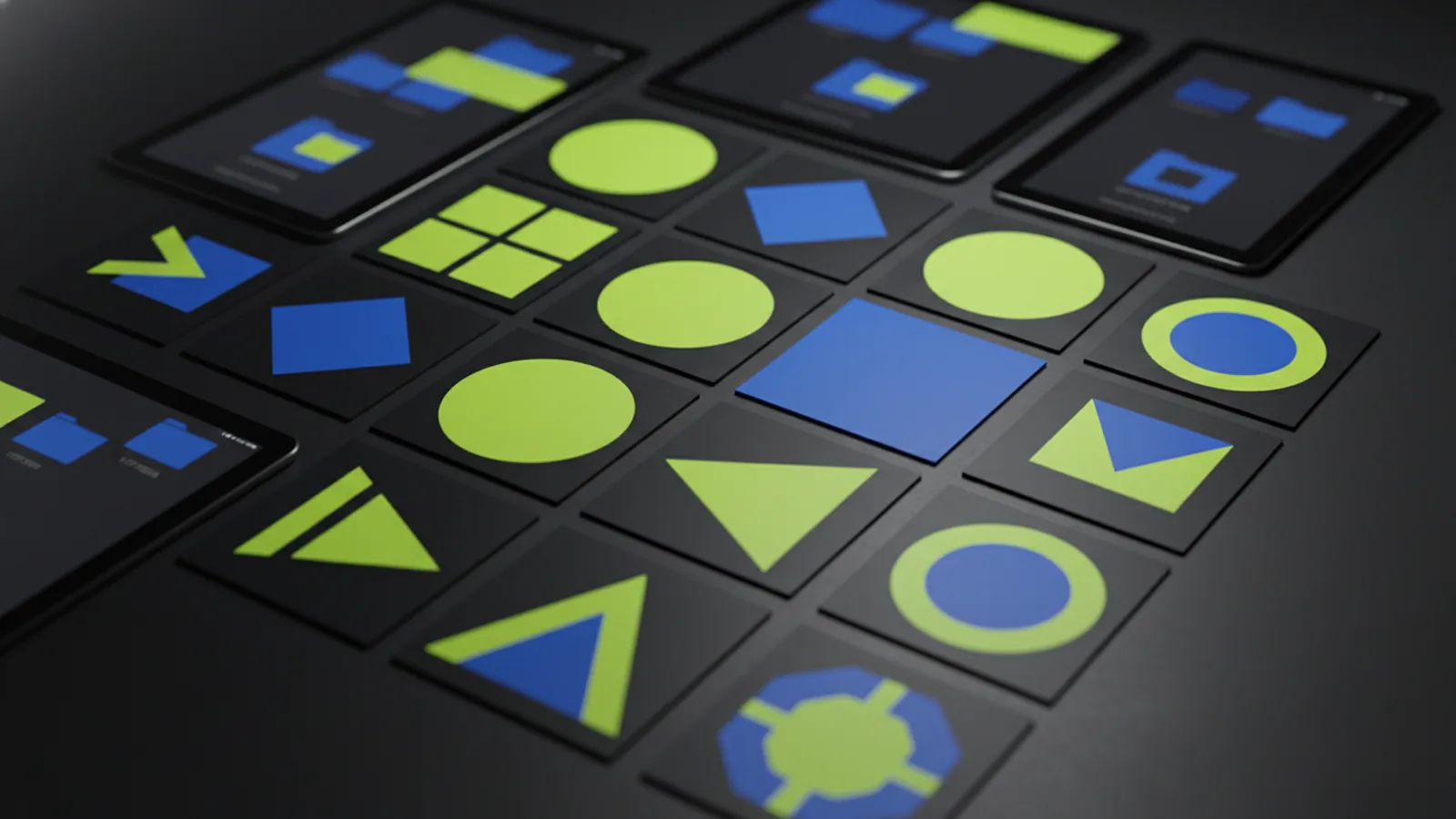
What “social media kit” means for logo assets
A social media kit is a bundle of brand assets. You share it with teammates, partners, or anyone who posts for you. When the kit is for your logo, the goal is simple. Make it easy to use your brand correctly. No guesswork needed.
Instead of a random folder, a logo kit has the right files for common sizes and backgrounds. It also has usage notes. These explain when to use each version. Posts stay consistent even when people move fast.
In practice, this cuts brand drift. Brand drift means accidental changes to colors, proportions, or contrast. It removes the need to ask, “Which logo file for Instagram?”
So, what is a social media kit for a logo?
What is a social media kit for a logo? It’s a set of logo files and guidance. These files are built for social posting and profile setup.
Most kits are built around social media realities. These include strict aspect ratios, small thumbnail sizes, and varied backgrounds. Your kit should include logo versions that stay clear at small sizes. They should also look sharp on banners, story frames, or cover images.
A good kit also covers common workflows. Think of creators resizing assets, marketers approving posts, and agencies running campaigns. It just works.
What to include in your social media logo kit
Your kit should be practical and platform-ready. Think: assets plus rules, not just assets. Here is a strong baseline to build from.
- Primary logo files in scalable formats (vector gives the best quality)
- Transparent and solid background versions for light and dark contexts
- Horizontal and stacked layouts for different post and header placements
- Small-size variants (a simplified mark or trimmed proportions) for profile thumbnails
- Color info so people can match your brand, including approved alternates
- Clear-space and minimum size notes to keep the logo readable
- Do/Don’t examples covering mistakes like stretching or low-contrast use
If you run campaigns, add campaign-ready versions that match your social templates. Every file in the kit should have one clear job.
Also think about delivery. If many people use the kit, provide a structured folder. Name files so they match their use: profile, cover, or post.
Which logo versions fit different social placements
Social platforms use different image sizes and layouts. One perfect logo file is rarely enough. Your kit should cover the most common placements. These include profile icons, page headers, cover banners, and post graphics.
Here is how to match logo versions to placements.
| Placement | Common issue | What to provide |
|---|---|---|
| Profile picture | Too small to read details | Optimized mark or simplified lockup that stays recognizable |
| Page header / cover | Logo gets cropped or looks stretched | Horizontal lockup with safe margins for cropping |
| Stories / short-form frames | Background contrast varies | Light and dark versions, plus transparent options if needed |
| In-feed posts | Space is limited or layouts vary | Stacked and horizontal versions so designers can adapt quickly |
When you provide multiple orientations and background-ready versions, you protect brand consistency. This matters when creators use different templates. It’s key when content is posted fast and approvals come after.
Test your logo in real settings. If a small icon gets unclear at thumbnail size, add a simplified version to the kit. Don’t make users guess.
How to package your kit so others can use it correctly
Assets alone aren’t enough. People need to know which file to pick. A good kit includes short, direct guidance for common design questions.
Start by sorting your files by use case. Make a folder for profile icons, one for covers, and one for post graphics. Then add a simple usage guide. It should describe when to use each version and which background it suits.
Keep logo instructions short. Someone should open the kit and pick the right file right away. No need to contact the brand owner.
- Use consistent naming so files are self-explanatory (e.g., “primary-horizontal-transparent”)
- Include at least one light and one dark version to cover the most common backgrounds
- Set minimum size and clear-space rules for legibility
- Provide do-not-alter reminders like “don’t stretch” and “don’t recolor outside approved options”
If you work with agencies, add a brief handoff note. Explain your approval workflow. That cuts back-and-forth and speeds up campaigns.
Over time, refine the kit based on real posts. Social usage changes. Your kit should evolve with your templates and platforms.
Common mistakes when creating a social media logo kit
Even teams with good branding hit predictable issues. These mistakes happen when the kit is built for a folder, not a workflow.
Here are the most common problems to watch for, and how to prevent them.
- Only one logo file is provided, forcing designers to improvise with poor results
- Missing transparent versions makes overlays and template use harder
- Complex logos with tiny details look unreadable as profile icons
- No guidance on backgrounds leads to low-contrast versions being used wrong
- Stretching or non-proportional scaling breaks visual consistency
- Outdated files are mixed in, so people use different versions
Social platforms can crop or scale images in unexpected ways. Your design tool won’t always show this. Safe-margin guidance and multiple orientations help you avoid surprises.
If a post comes back as “looks off,” the fix is in the kit. Add better variants, clearer notes, and smarter naming.
Why a logo social media kit improves consistency and speed
A good logo kit pays off in two ways. It builds visual consistency and saves time. Consistency protects recognition. Speed protects momentum. Both matter when you post often or run many channels.
When creators find the right logo fast, they spend less time guessing. They produce more. It also speeds up approvals. Fewer corrections means less back-and-forth.
Over time, your kit becomes a shared resource. New hires and partners can adopt your brand fast. No tribal knowledge needed.
Takeaway: the kit part makes assets useful. Pair files with clear guidance for each placement.
If you’re building a full brand system, connecting it to your web presence makes sense. A well-designed site and clear asset kits keep your identity cohesive.
Checklist: your social media kit is ready when…
Use this checklist to confirm your kit is usable. If you can hand it to someone and they can update profiles and posts, you’re good.
- You have primary logo files plus light/dark and transparent variants
- You have horizontal and stacked layouts for common social compositions
- You include a simplified or optimized logo for small profile visibility
- You provide clear-space and minimum-size guidance
- Your files are organized and named so someone can choose correctly fast
Once these pieces are in place, you’ve answered the core question. What is a social media kit for a logo? You’ve built one that cuts errors, speeds up production, and makes your brand look sharp on every platform.
Frequently asked questions
- What is a social media kit for a logo used for?
- It’s used to package logo assets and simple rules so your logo is applied correctly on social profiles and posts. Teams, partners, and designers can set up branding faster with fewer mistakes.
- What files should be in a logo social media kit?
- Include your primary logo and key variations like transparent and solid versions, plus horizontal and stacked layouts. Add a simplified or optimized version for profile thumbnail legibility.
- Why do I need light and dark logo versions?
- Social backgrounds aren’t consistent—templates and posts can switch between light and dark surfaces. Having both versions prevents low-contrast logo usage that harms readability.
- How do I make my logo readable as a profile picture?
- Use an optimized mark or simplified lockup designed for small sizes. Also test at thumbnail scale so the logo remains recognizable without fine details.
- Can I just upload one logo file everywhere?
- You can, but it often leads to poor results because social placements crop and resize images differently. A kit with multiple orientations and background-ready variants avoids that problem.
- How should I organize a social media logo kit for handoff?
- Group files by placement (profile icons, covers/headers, post graphics) and use consistent naming. Add short guidance on which variant to use and what not to change.
Related reading
Can You Use a Company Logo Without Permission? Legal Implications
Fair use is narrow. Learn logo risks, legal limits, and safer alternatives.
How to Get a Nike Logo for Cricut (SVG + Illustrator)
Get Nike logo SVGs for Cricut or make one in Illustrator, then cut clean with smart settings.

Logo vs Symbol: Definitions, Similarities, and Design Differences
Logo vs symbol: definitions, similarities, and real branding examples.